From policy to evidence.
Even what AI did
becomes evidence.
Document changes, approvals, permission changes and AI proposals are recorded with who did what and when, in an immutable history and audit log. What a person did and what AI did land in the same history.
What you did becomes the evidence.
Approvals, permissions and audit logs do not live apart. One system proves all three together.
Document edits pass through approval into history
Editing a draft puts it in the change-request queue, and it takes effect only after passing the approval chain. Who drafted it and who gave final approval is recorded with each version.
Who was granted access to what
Access scope for documents and data is checked on screen. The grant time and the recipient are recorded as they happen.
From login to settings changes, one history
Logins, permission changes, document access and settings changes are recorded together with actor, time, and before/after values. Used as evidence for ISO/IEC 27001 A.8.15.
Shown with real screens.
The slots below hold real screens captured in a demo tenant. All personal data shown is synthetic.
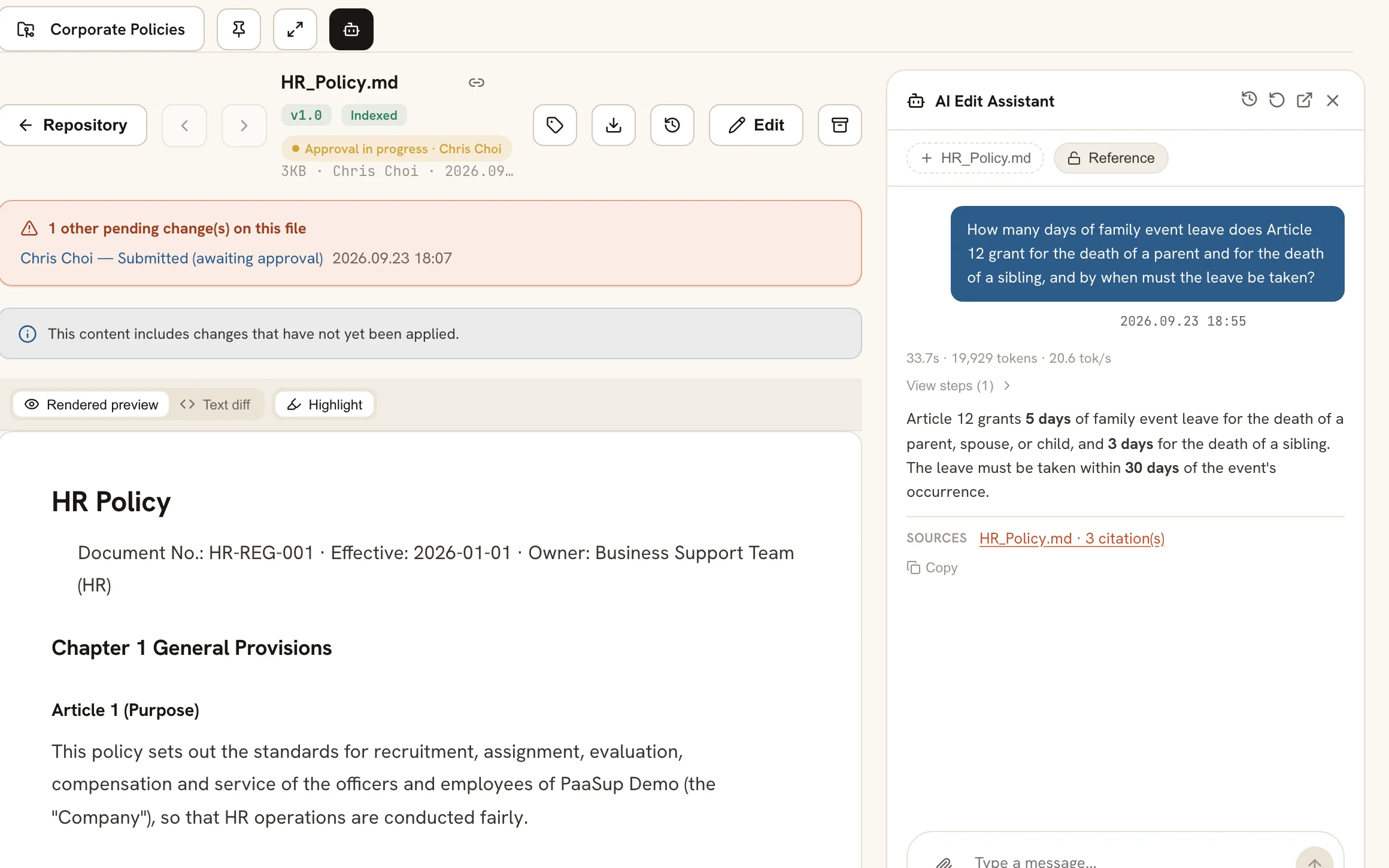
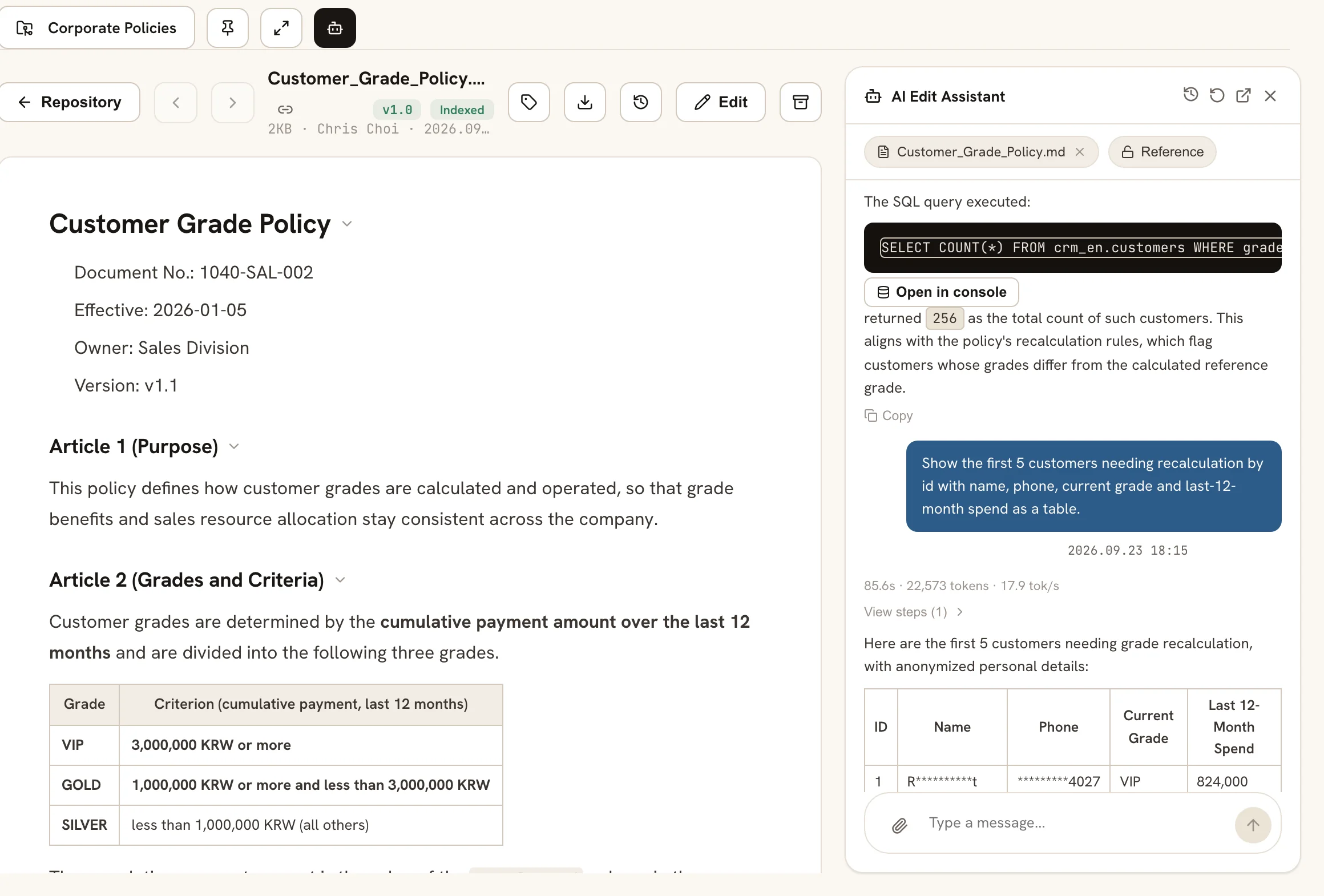
View and edit documents
Open documents, PPT and XLSX files straight from the repository; edits take effect immediately. Search by file name and full-text index, and the assistant answers or drafts edits from the same documents.
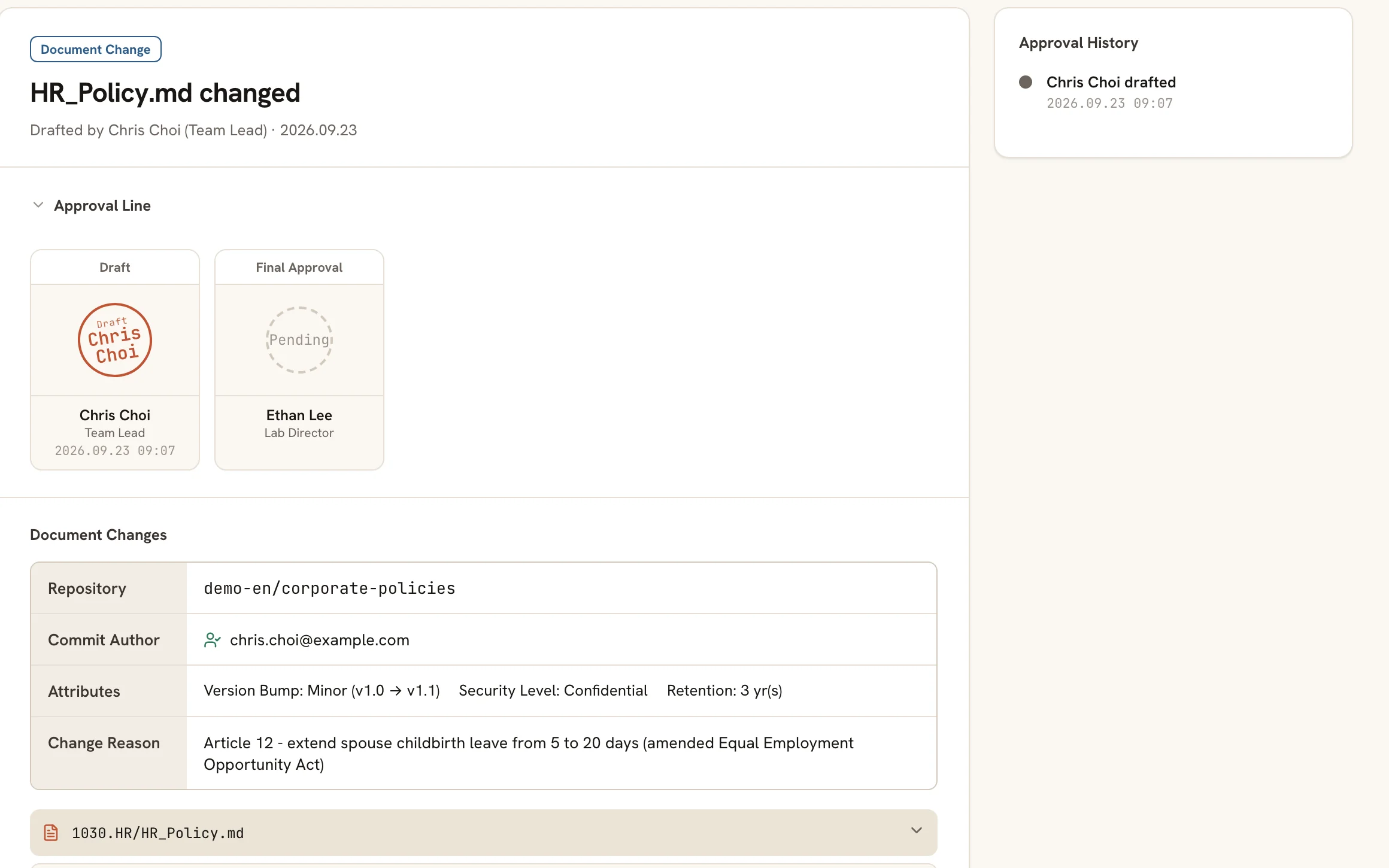
Submit-and-approve workflow
A person's edit and an AI proposal pass the same approval chain. A version moves up only after a person approves, and drafter and approver are recorded on every version.
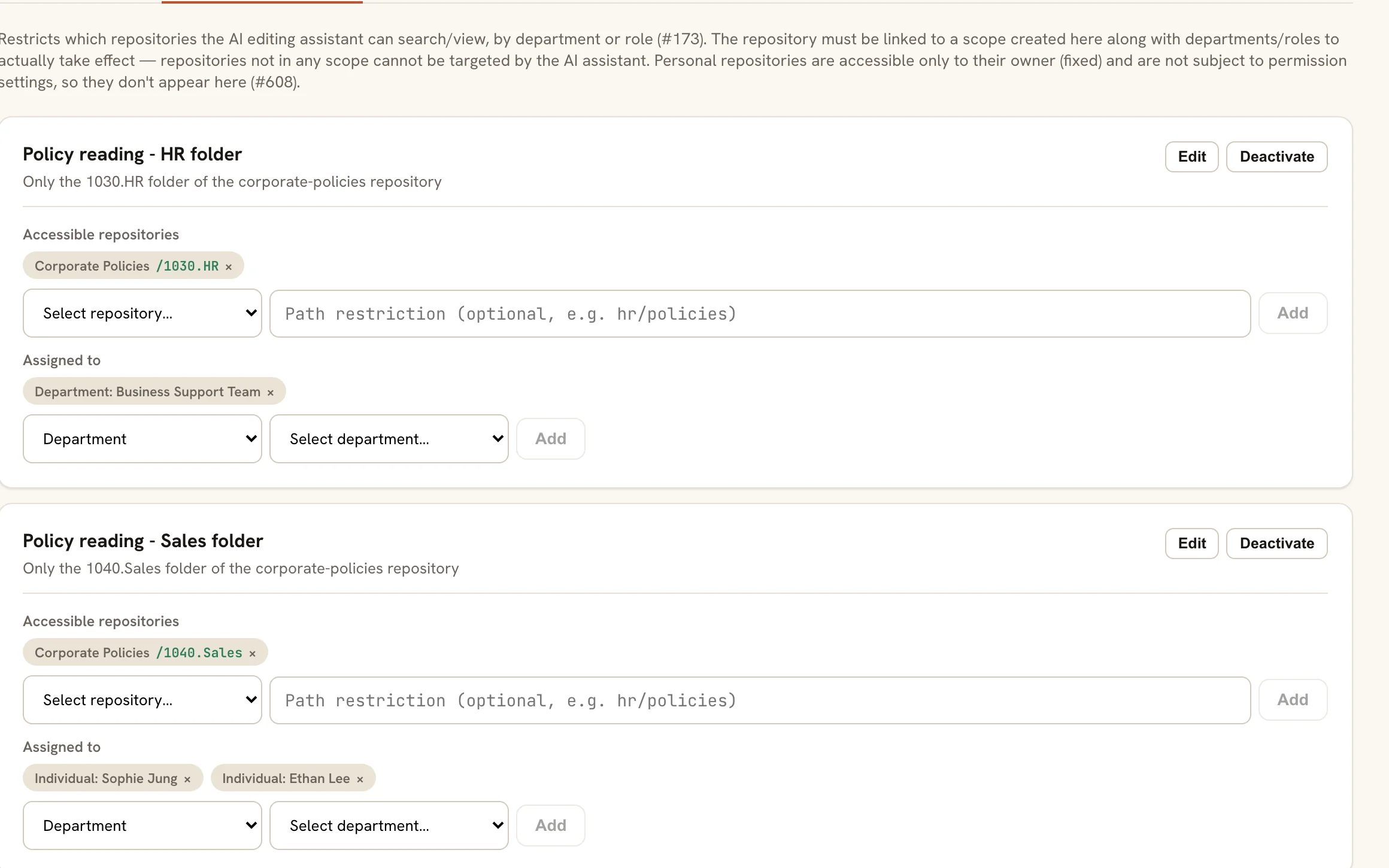
Per-repository and per-folder permissions and workflows
Access scope is set per repository and folder, and each repository has its own approval chain. Who was granted access to which scope is answered on screen.
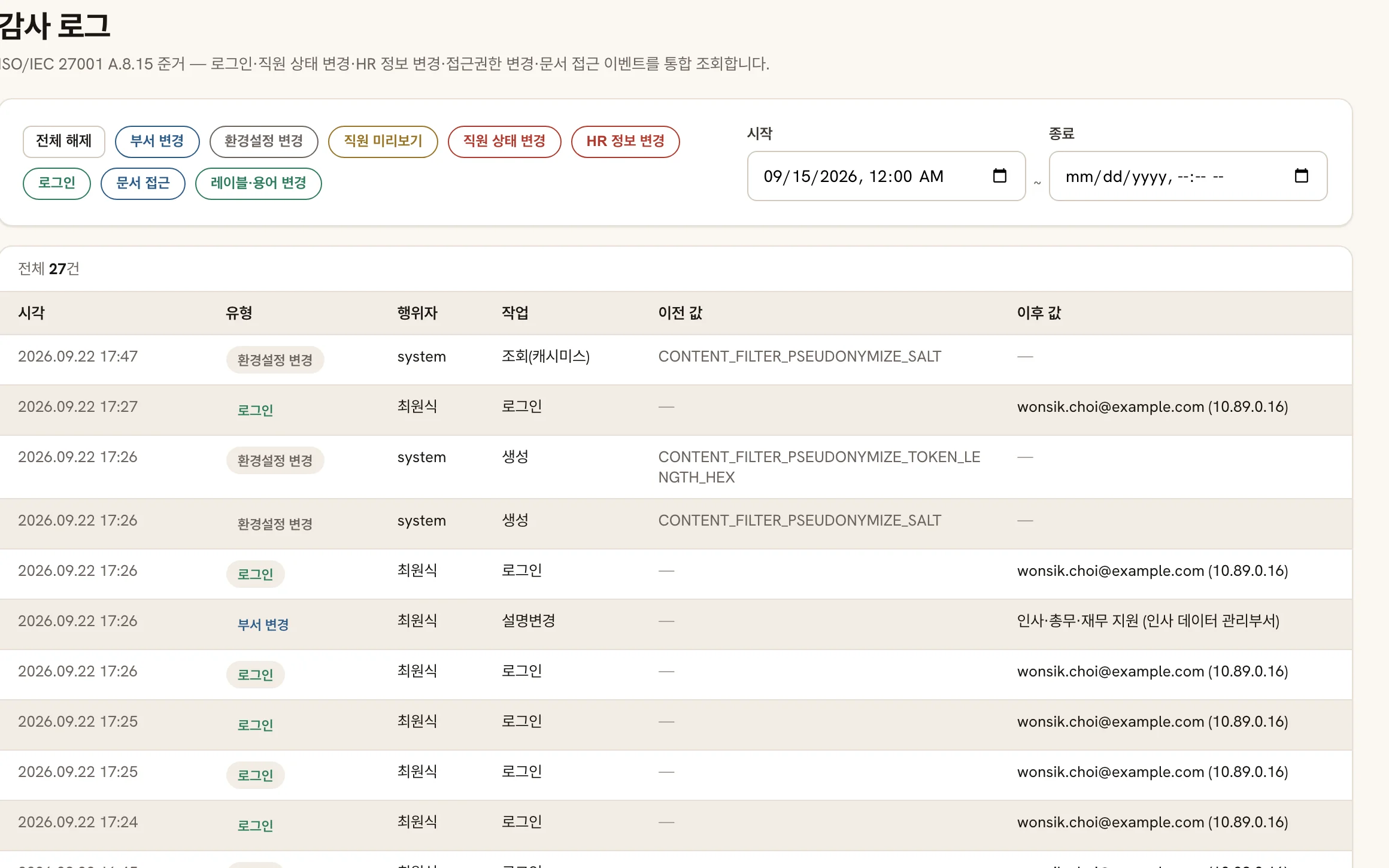
Audit log
Logins, permission changes, document access and settings changes accumulate in one history. Used as evidence for ISO/IEC 27001 A.8.15.
When it grows
When the organization grows into needing structured-data analysis, it expands into PAASUP Insight. Large-scale processing is handed to PAASUP DIP, the platform underneath, and permissions and policy carry down unchanged.
See PAASUP Insight →FAQ
PAASUP Evidence is an audit-ready work system for organizations where even what AI did is kept as evidence. Document edits, approvals, permission changes and AI proposals are recorded with who did what and when, in an immutable history and audit log.
01How is this different from ordinary groupware approvals?
It keeps more than the approval itself. Document version history, permission grants and AI proposals land in the same audit log, so an audit can be answered with "who approved this, and when" right away.
02Can an AI agent edit documents directly?
No. An agent can only propose a change, and it takes effect only after passing the approval chain. What a person did and what AI did land in the same history.
03Can this be used for an ISO/IEC 27001 audit?
Yes. Document history and the audit log are designed to serve as evidence for A.8.15, and ISMS operations screens such as registers, nonconformities and management review live in the same system.
04Does adoption take a long time?
You see the screens in a 15-minute demo first, then start a 2-week PoC with one department's documents. It builds rules on top of your existing repository rather than migrating it.
05How do I start?
Request a 15-minute demo or a 2-week PoC through the contact form.
15 minutes is enough.
In a 15-minute demo you see the approval, permission and audit-log screens yourself. If it fits, a 2-week PoC starts with one department's documents.